This website uses cookie or similar technologies, to enhance your browsing experience and provide personalised recommendations. By continuing to use our website, you agree to our privacy policy. You can adjust cookie preferences in Cookie Settings.


Swar Performer implements several types of objects. Understanding how these objects work and interact with each other is important for using the software effectively.
Tracks are available in three different types:
Swar Performer allows you to create and configure all three track types, including settings such as gain, panning, and audio effects.
Devices are responsible for producing the MIDI events that are sent to tracks.
Swar Performer allows you to create one or more devices. These devices are virtual by default, but they can also be connected to your physical MIDI hardware so you can play directly from your own keyboard or controller.
Mappings define how specific key ranges on devices are linked to tracks.
The mapping system is highly flexible. For example:
This makes it possible to create advanced performance setups adapted to your workflow.
Mappings are specific to scenes. Changing scenes therefore changes the way your keyboard(s) interact with tracks.
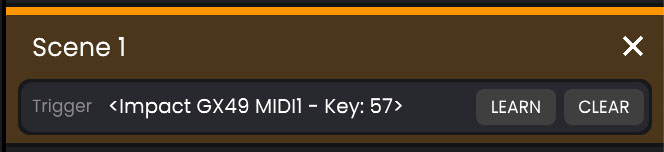
Scenes can be changed:
This provides full flexibility to switch instruments and performance configurations dynamically while performing.
Sessions are the documents that are created, loaded, and saved in Swar Performer.
A session contains the complete configuration of all objects described above, including tracks, devices, mappings, and scenes.
In practice, different sessions can be used for different performances or setups when larger configuration changes are required beyond what scenes alone can provide.