This website uses cookie or similar technologies, to enhance your browsing experience and provide personalised recommendations. By continuing to use our website, you agree to our privacy policy. You can adjust cookie preferences in Cookie Settings.


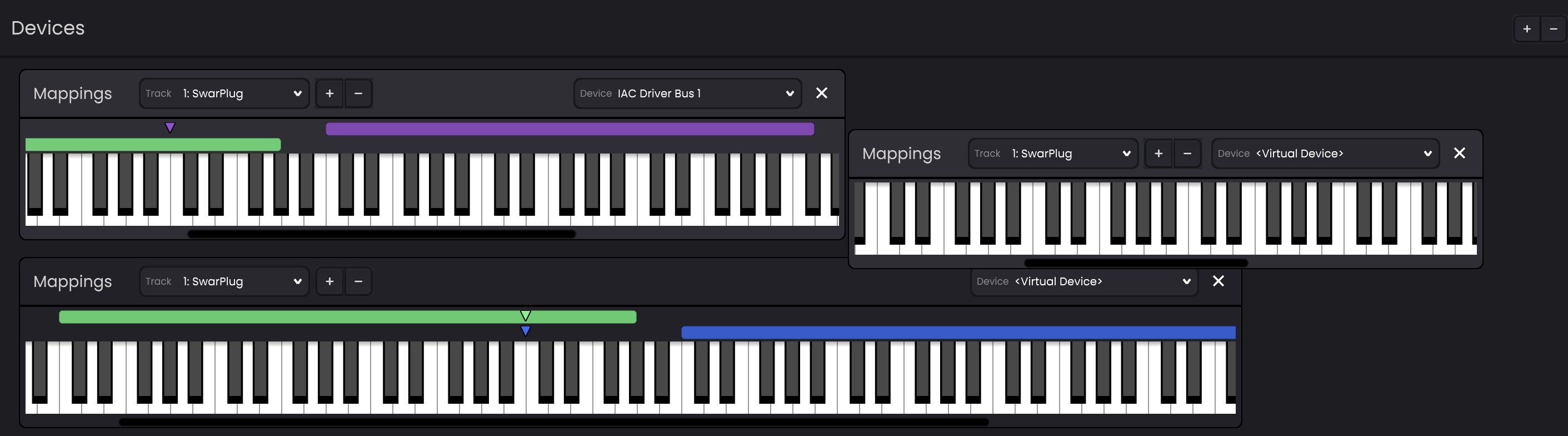
Performer Devices provide an interactive keyboard interface for routing and controlling MIDI tracks. Multiple Performer Devices can exist inside the pane at the same time, allowing different keyboard layouts and mappings to be configured simultaneously.
A new Performer Device can be created using the
 button in the bottom Devices Panel.
Performer Devices can be freely moved around within the pane. Devices can also be resized as needed to fit different workflows. The keyboard area supports horizontal scrolling, allowing different note ranges and mappings to be viewed.
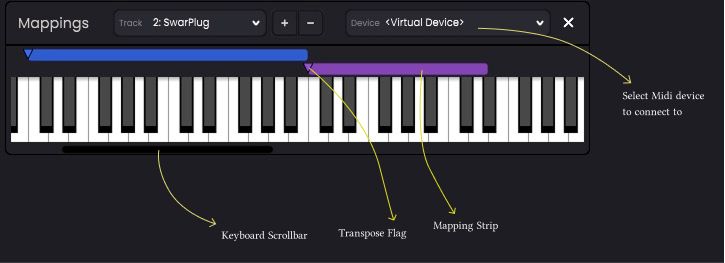
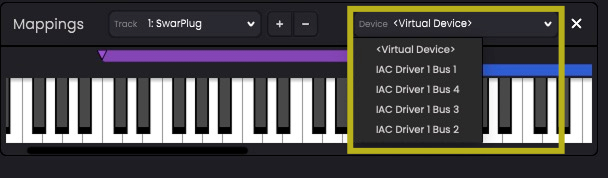
Each Performer Device must be connected to an external/virtual MIDI device using the Device dropdown menu. By default a virtual device is created and connected and midi events are sent when the keys on virtual keyboard are clicked.
A Performer Device can contain one or more Mappings. Mappings are displayed as colour-coded strips above the keyboard area.
Each mapping range includes a transpose flag that offsets the MIDI notes sent to the associated instrument track. Dragging the flag to the right transposes notes upward, while dragging it to the left transposes them downward. This makes it possible to map different octave ranges to different instruments (which may use similar playable ranges) while utilizing the keyboard's full range.