This website uses cookie or similar technologies, to enhance your browsing experience and provide personalised recommendations. By continuing to use our website, you agree to our privacy policy. You can adjust cookie preferences in Cookie Settings.


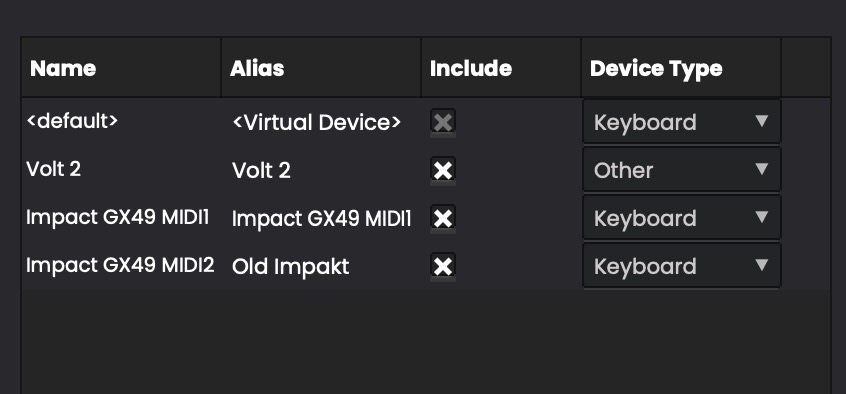
Here are a few important steps to follow the very first time you use the app.
Like most audio software, the first step is selecting the audio device and channels you will use.
Open Tools > Options, then select the correct device for both:
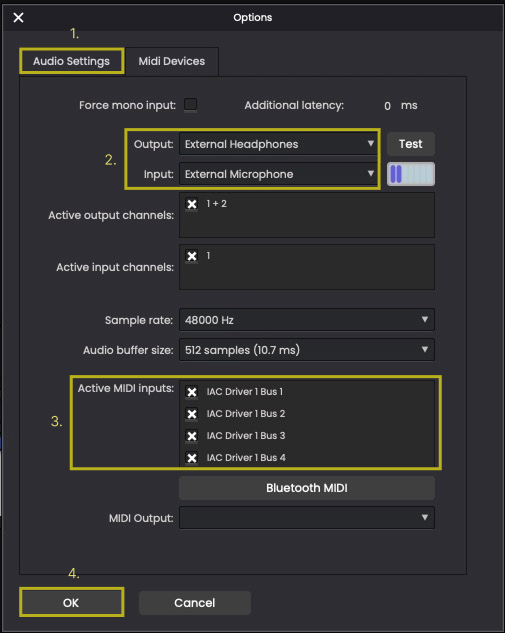
Since Swar Performer is primarily designed for MIDI playback, you should enable any MIDI devices you plan to use.
At the bottom of the Audio Settings dialog, you will find the Active MIDI Inputs list. Check the devices you want to enable.
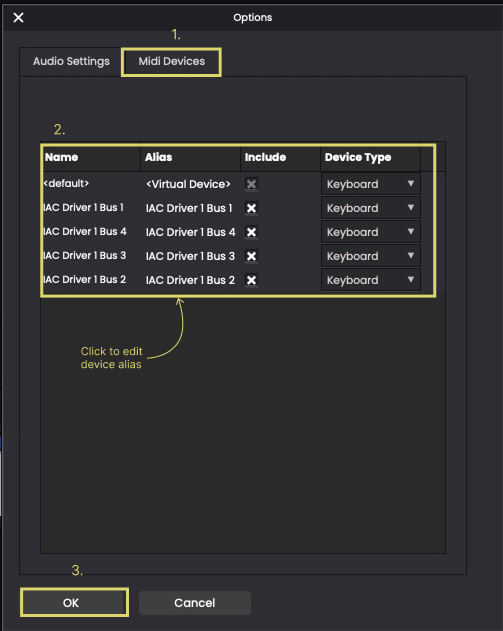
Next, open the MIDI Devices tab for additional configuration:
Once finished, click OK to close the Options dialog.
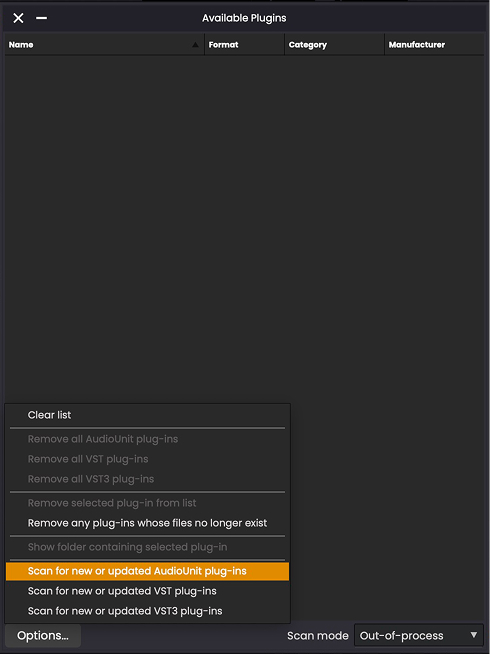
By default, Swar Performer is configured to use SwarPlug, but you may also want to use other virtual instruments or audio effects plugins.
To make plugins available inside the app:
You can repeat this process later for additional plugin types if needed.
Once completed, you should be ready to start using the software.
The app runs in trial mode for the first 30 days. If you have purchased the software, this is a good time to activate it using the serial number you received by email.
To activate:
Your software should now be fully activated.